The short answer
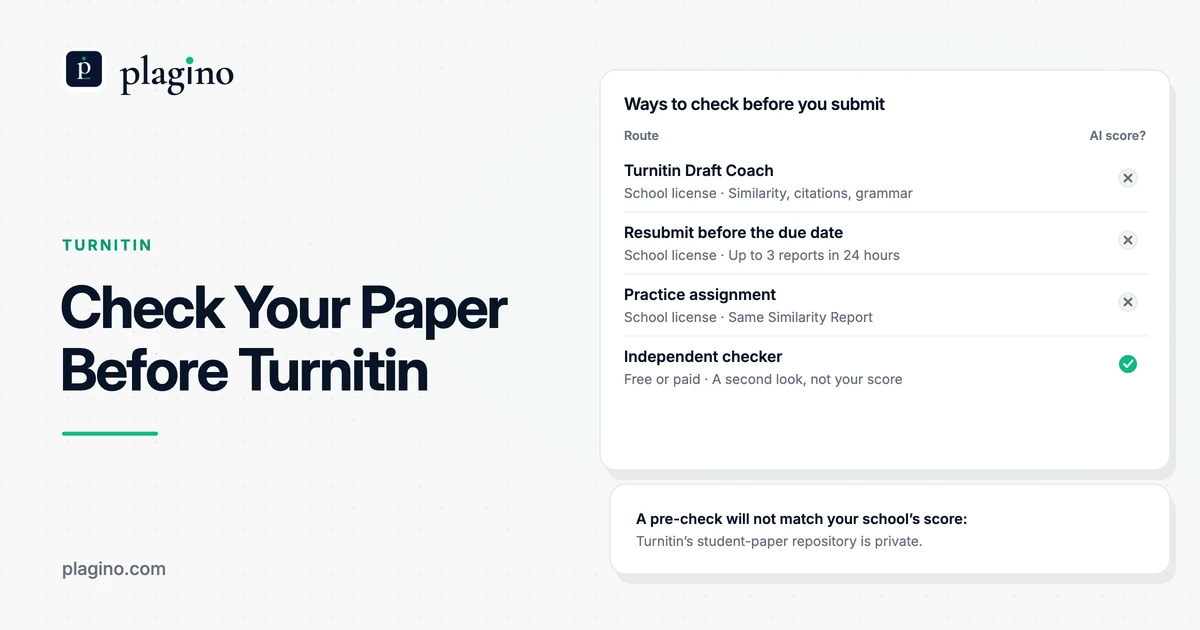
Turnitin has no free checker for students, but you can still check a paper first. Use Draft Coach if your school enables it, resubmit where allowed, or ask your instructor for a practice assignment. A free independent checker adds a second look, though it will not match your school's score.
Is there a free Turnitin checker for students?
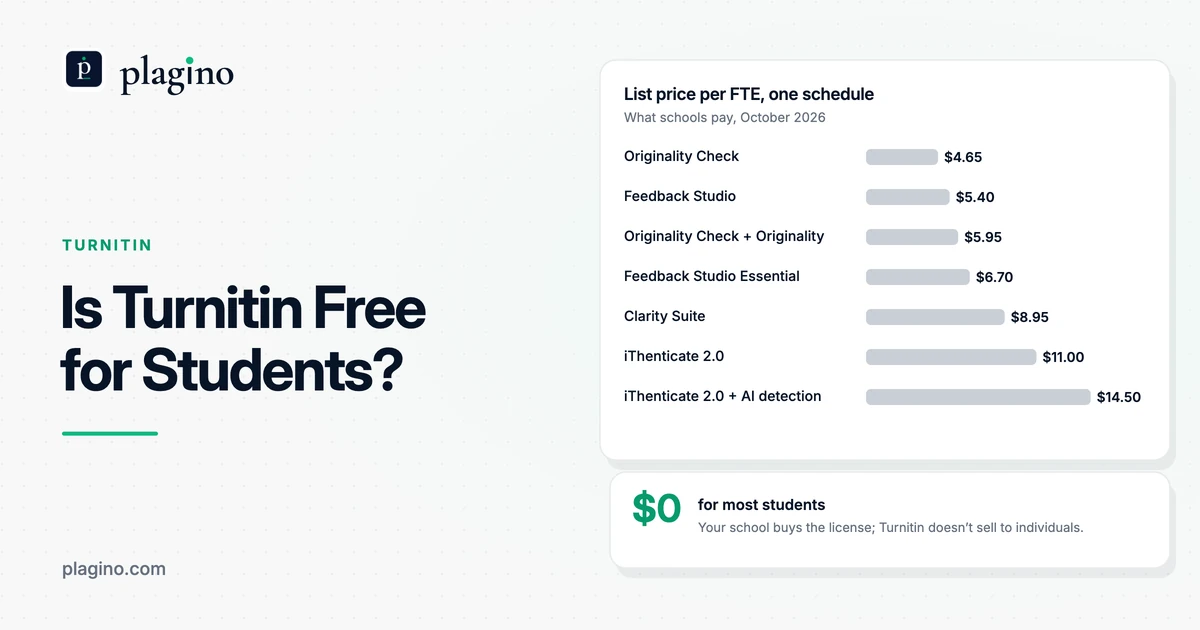
No. Turnitin says it does not sell individual licenses or single-use subscriptions, so a student cannot buy or open a Turnitin checker alone, free or paid. Access comes through a school, college or other organization that licenses it. That is also why a search for a free Turnitin checker mostly returns independent tools that use the Turnitin name in their pages.
Those tools are separate products. They run their own matching and their own AI models, and some say so themselves: one independent checker's about page states that it is not affiliated with Turnitin and that its results do not guarantee how any institution's software will score your work. Read that kind of disclaimer as the honest part of the page. A site that promises the exact report your professor sees is promising something Turnitin does not sell to individuals.
What does a free pre-check actually give you?
A pre-check gives you a chance to find and fix problems while you can still change the paper. For similarity, that means passages that match a source and need quotation marks or a citation. For AI writing, it means sentences worth rereading. It does not give you a forecast of the number your instructor will see, because Turnitin's result depends on settings and databases you cannot see from outside.
How can you check your paper before submitting it to Turnitin?
Turnitin's own help center says a student cannot self-check a paper in Turnitin without uploading it to an official assignment, unless the institution has enabled Draft Coach. So the routes below fall into two groups: those that run Turnitin's own software and depend on your school, and independent tools that anyone can use. The table compares them as of October 2026.
How does Turnitin Draft Coach work for students?
Draft Coach lets you run Turnitin's checks on your own draft, and it has to be switched on by your school. Turnitin's FAQ says it works as an add-on in Google Docs or Microsoft Word online, not in desktop Word, and that the administrator configures one of the two. It matches your draft against the global student repository, journals, your institution's private repository and internet pages, and it does not store the draft, so you will not match your own paper later.
Expect limits. Turnitin's guide to Draft Coach reports says you get three Similarity reports per draft, and Draft Coach has no way to send results to your instructor. The checks Turnitin lists are similarity, citations and grammar. A University of Missouri System help page states plainly that the Draft Coach similarity check does not detect possible use of AI in writing.
How do resubmissions and practice assignments work?
If your instructor has enabled resubmissions and the due date has not passed, you can resubmit up to three times in 24 hours, and each upload overwrites the one before. In older Classic assignments, the first three attempts generate a report immediately and later ones wait 24 hours. Your attempts are shared with your instructor, so one of them is used if the instructor resubmits on your behalf.
If resubmissions are off, your first attempt is final. Ask your instructor whether they would set up a separate practice assignment, and accept the answer, since the choice is theirs and your school's policy applies. When you ask, say what you want to check (citations, quotation marks, a high match) so the request reads as drafting practice, not a hunt for a score.
Can your instructor check a draft without an assignment?
Yes, but only the instructor can do it. Turnitin's help center describes Quick Submit, which lets an instructor generate an instant Similarity Report without creating a class or assignment. It also warns that unless the instructor picks the "No Repository" option, the file is saved to Turnitin's permanent database and can flag as a 100% match if submitted again later. That is a good reason not to hand a draft to anyone's repository-enabled check unless you know the setting.
| Route | What you see | Cost to you | Who controls it | Shows an AI score? |
|---|---|---|---|---|
| Turnitin Draft Coach | A Similarity Check, a Citation Check (MLA and APA) and a Grammar Guide, inside Google Docs or Microsoft Word online | Part of your school's Turnitin license | Your school's Turnitin administrator, and it depends on the license | No. Turnitin lists similarity, citation and grammar checks only |
| Resubmitting to your real assignment | A Similarity Report, with up to three resubmissions in 24 hours | Part of your school's Turnitin license | Your instructor, who must allow resubmissions before the due date | Not unless your instructor chooses to share the AI report |
| A practice assignment set up by your instructor | The same Similarity Report, in a separate assignment | Part of your school's Turnitin license | Your instructor, who has to agree to create it | Only if your instructor shares it |
| An instructor spot-check with Quick Submit | An instant Similarity Report that the instructor runs for you | Part of your school's Turnitin license | Your instructor, who must switch the feature on | Only if your instructor shares it |
| A free independent checker (for example Plagino's free plan) | Its own plagiarism and AI results, with highlights on your text | Free, within the tool's limits | You | Yes, but it is that tool's own AI score |
| A paid independent similarity checker (for example Scribbr) | A similarity percentage and highlighted sources | Scribbr lists $19.95 for up to 7,499 words, per check | You | Scribbr says its AI Detector is included |
Why can a pre-check score differ from your final Turnitin result?
Even Turnitin's own pre-check route can move before your final grade. The same paper can score differently because of what it is compared against, where earlier papers were stored and when the report was run. The table lists the main reasons using Turnitin's assignment settings guide and Standard assignment guide.
| Factor | What Turnitin documents | Effect on a pre-check |
|---|---|---|
| Sources compared | An instructor chooses which sources to compare against: the general Turnitin repository, the institution's private repository, internet content and periodicals, journals and publications. | Turnitin's repository of student papers is private, so an outside checker cannot search it. |
| Storing papers | Submissions can be stored in the general repository, stored in an institution-only repository, or not stored for future comparison. | A stored draft can become a source for later submissions, so ask before you upload a draft to a real assignment. |
| Report timing | In assignments set to generate reports immediately with resubmissions allowed, reports regenerate within an hour of the due date so submissions can be compared with each other. | A score seen before the due date can change after it. Check again once the deadline has passed. |
| Resubmission limits | After three attempts, a new Similarity Report waits 24 hours in Classic assignments. | Plan your checks early, not on the night before the deadline. |
A low pre-check number is therefore not a promise. Use it to find citations to fix, then treat the final result as your instructor's to read. Our guide to the Turnitin similarity score explains how to interpret matches, and the page on what green means on Turnitin explains the color bands.
Is there a free Turnitin AI checker or AI detector?
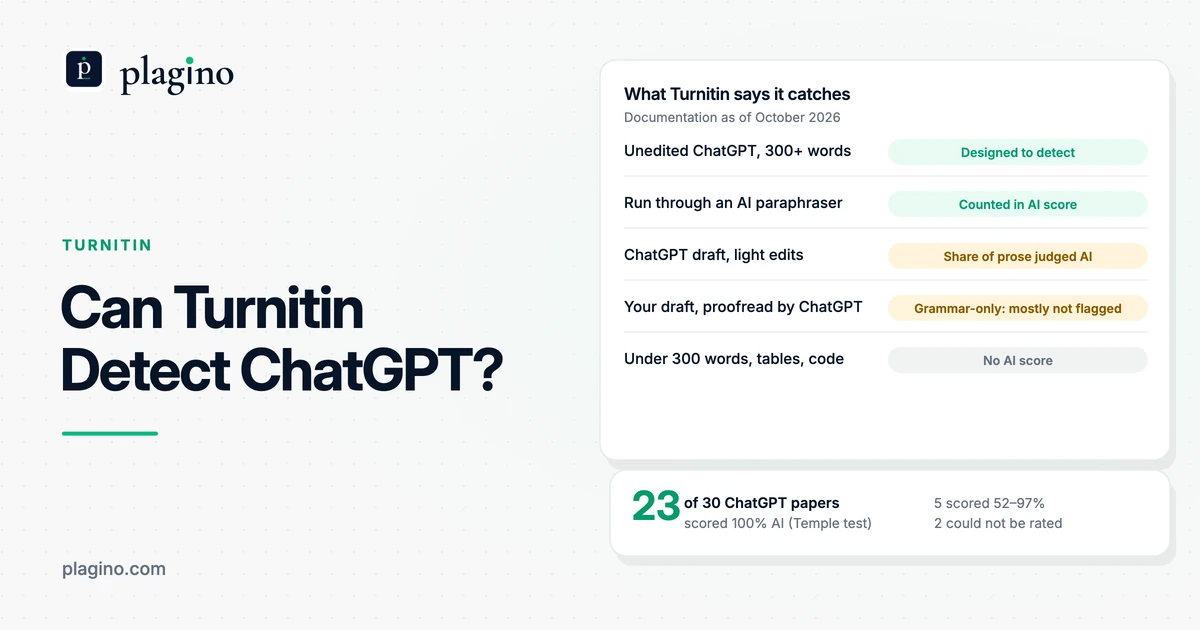
Not from Turnitin. Turnitin's FAQ says AI writing detection is available only to customers that license Turnitin Originality, that administrators can switch it off, and that the indicator and report are not visible to students. Its AI Writing Report guide adds that the AI percentage is separate from, and independent of, the Similarity score. So a Similarity pre-check, including Draft Coach, will not show you the AI result.
An independent AI detector can still give you a useful second look. In Plagino's March 2026 benchmark of 1,000 documents, Turnitin caught 98.2% of AI-written documents and wrongly flagged 1.4% of human-written ones, while Plagino caught 97.4% and wrongly flagged 0.8%. Plagino built one of the tools in that test and it was one corpus in one run, so read the numbers on the benchmark page as a snapshot. Our guide to a Turnitin AI checker alternative goes into why no outside tool can reproduce your school's AI number.
What if a free AI checker flags your own writing?
Reread the highlighted sentences before changing anything. A flag asks whether the sentence carries your own reasoning, and it is not proof that anyone cheated. Plain or second-language prose can look predictable to a detector, and a 2023 Stanford-led study found that several AI detectors misclassified more than half of TOEFL essays by non-native English speakers as AI-generated. If the question ever reaches your school, our guides on why AI detectors give false positives and what to do if you are falsely accused of using AI explain what evidence helps.
What are the steps to check your paper before you submit?
These steps take about fifteen minutes plus any time your instructor needs to respond. They combine Turnitin's own routes, where your school allows them, with a free independent check. The file formats in step 2 come from Turnitin's file requirements guide.
- 1
Find out what your school actually runs. Check your syllabus or ask your instructor three things: is Draft Coach switched on, does the assignment allow resubmissions, and is the AI report enabled. Turnitin says administrators control Draft Coach and the AI feature, so the answers differ by school.
- 2
Make sure your file will upload. Turnitin accepts Word (.doc and .docx), PDF with selectable text, plain text, RTF and a few other formats, up to 100 MB and 800 pages. It does not accept password-protected files or Apple Pages. For Google Docs, submit through Google Drive and not a .gdoc file.
- 3
Use Turnitin's own check if your school allows it. Run Draft Coach, or resubmit to an assignment that allows it before the due date. Keep to three runs, because the fourth report waits 24 hours in Classic assignments.
- 4
Run a free independent check on the draft. Save the paper as a .docx, create a free Plagino account, upload the file and start the scan. The free plan has 3 scans a month, takes files up to 10 MB, and each scan includes both the plagiarism check and the AI check.
- 5
Read every highlight against your sources. A match to a source you quoted and cited is fine. A match to something you did not cite needs quotation marks and a citation, or a rewrite of your own and a citation for the idea. Treat an AI highlight as a prompt to ask whether the sentence is your reasoning in your words.
- 6
Revise, rescan once, then submit and keep your drafts. Fix citations and thin passages with your own argument, examples and sources, and rescan to check the changes. Keep your outline, notes and version history, which show how the work developed if a question ever comes up.
Are websites that offer a free Turnitin check safe to use?
It depends on the service, so read before you upload. Check four things: whether the file is stored, whether you can delete it, whether it is used for training or shared, and whether the tool claims a result it cannot deliver, such as your school's exact score. Turnitin says Draft Coach does not store submissions, but a normal assignment may, depending on the repository setting your instructor chose.
Plagino keeps your file and report in your account so you can reopen it, and you can delete any scan from your dashboard. Its plagiarism checker compares a .docx with open-access papers indexed by CORE and with your own earlier scans, not with the open web or Turnitin's private repository. Uploaded documents are not used to train AI models, and the privacy policy has the details. Free scans produce the same sentence-level report as Pro. You can create a free account to try it, and the pricing page lists the plans.
When is a paid checker worth it?
A paid checker is worth considering when the web or paywalled journals matter to your paper, since Plagino's free check does not search them. Scribbr, for example, lists a per-document price and says its tool compares with web pages and publisher content. It also says universities may check against private student paper databases that it cannot reach, so small differences can appear. That is a vendor claim, and Plagino has not benchmarked Scribbr. Our Plagino vs Scribbr comparison sets out what each one checks.
For a wider look at the options, including what each tool does and does not search, see our guides to the best plagiarism checker for students and alternatives to Turnitin.
What should you do with the result?
Use it to improve the paper, not to chase a number. Fix uncited passages, replace generic sentences with your own argument and evidence, and check that every source in your text appears in your reference list. A result that looks clean does not prove the paper is honest, and a high one does not prove it is not.
Plagino is built for checking and revising your own writing. It does not offer or recommend tools that disguise AI text to slip past a detector. Turnitin also says its English detector looks for text run through AI bypasser tools, so such tools are not a safe shortcut either.
What are the limits of this guide?
The Turnitin details come from its help center and guides as read in October 2026, and your school can configure its own account differently. Plagino's only testing is the March 2026 benchmark of AI detection. It has not tested any other checker named here, and the Scribbr details are the vendor's own statements.
Frequently asked questions
Is there a free Turnitin checker for students?
Not from Turnitin. It sells only to schools and does not offer free or individual student licenses. Independent tools offer free scans, but they use their own models and will not reproduce your school's score.
Can I check my paper in Turnitin before I submit it?
Only if your school allows it. You can use Draft Coach if your institution enabled it, resubmit to an assignment that allows resubmissions, or ask your instructor for a practice assignment. If resubmissions are off, your first attempt is final.
What is Turnitin Draft Coach?
Draft Coach is a Turnitin add-on that lets students run similarity, citation and grammar checks inside Google Docs or Microsoft Word online. It must be switched on by your school's Turnitin administrator. It does not store your draft and does not show an AI score.
How many times can I resubmit to a Turnitin assignment?
Up to three times in 24 hours in a Standard Assignment, if your instructor enabled resubmissions and the due date has not passed. Each upload overwrites the previous one, and attempts are shared with your instructor.
Will checking my paper in a free tool count as submitting it?
No. A free independent checker is not connected to your school's Turnitin account, so it does not count as a submission. Read the tool's privacy policy to see whether it stores your file.
Do free Turnitin checkers show the same score as Turnitin?
No. They use different databases and models, and Turnitin's result depends on your school's settings and a private repository of student papers. Use an outside checker to find passages to fix, not to predict your score.
Can I see my Turnitin AI score before submitting?
Not by default. Turnitin says the AI writing indicator and report are not visible to students, and an instructor can download and share the report if they choose. Draft Coach does not include it either.
Why did my Turnitin similarity score change after the due date?
In assignments set to generate reports immediately with resubmissions allowed, Turnitin regenerates reports within an hour of the due date to compare submissions with each other. That can change the score. Check again after the deadline.
What similarity score is acceptable on Turnitin?
Turnitin does not set a percentage you should aim for. Your school or instructor may set a threshold, and some similarity is normal when you quote and cite sources. Ask your instructor what applies to your course.
What file types does Turnitin accept?
Turnitin accepts Word (.doc and .docx), PDF with selectable text, plain text, RTF, HTML, OpenOffice (.odt) and PowerPoint (.pptx), up to 100 MB and 800 pages. It does not accept password-protected files or Apple Pages. For Google Docs, submit through Google Drive rather than a .gdoc file.
Does Plagino's free check include plagiarism and AI detection?
Yes. Every Plagino scan includes both checks, and the free plan gives 3 scans a month with no card. Plagino accepts Word (.docx) files up to 10 MB, and Pro costs $19 a month for 20 scans a day.
Is Plagino affiliated with Turnitin?
No. Plagino is an independent detector and is not affiliated with, endorsed by or connected to Turnitin. In its March 2026 benchmark it measured Turnitin as a reference, which is not the same as matching its score.
Is it safe to upload my thesis to a free checker?
It depends on the service, so read its privacy policy first. Check whether the file is stored, whether you can delete it, and whether it is shared or used for training. Plagino keeps files in your account, lets you delete them, and does not use them to train AI models.